







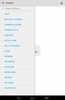

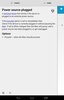

Automate Beta is a tool for setting up automated actions on your Android. With this app, you can automate hundreds of different tasks on your device, like enabling or disabling Wi-Fi automatically, sending an email to a certain address, and much more.
The way Automate Beta works is based on a series of flowcharts to which you can add different blocks of triggers and actions. In total, there are over 180 different blocks of actions, conditions, triggers, and loops. By playing with them and combining them in many different ways, you can create an almost unlimited number of automations.
Initially, Automate Beta can be a little overwhelming due to the complexity and variety of choices, especially in comparison with other apps of this sort on Android. Luckily, Automate Beta includes preset combinations so that even beginners can use it without having to spend hours exploring all its options.
Automate Beta is a tool with the potential to save you hours of work and other annoyances. For example, why have your Wi-Fi on if you're in a place where you know you won't use it? Automate it, and you'll never have to think about it again.
Requirements (Latest version)
- Android 4.0, 4.0.1, 4.0.2 or higher required


 14 reviews

















Comments
I find the app quite complicated. Unfortunately, I couldn't replicate various things I had done on earlier Android with another app using automate. Too bad. Maybe I'm just too stupid, even though the ...See more
Excellent
nice games pc